Free AI Coloring Page Generators in 2026: Turn Photos & Text into Printable Coloring Pages
Detailed review of the best Free AI Coloring Page Generators in 2026: iColoring AI, ColorPrompt, ColorBliss, Colorify AI, and Freetoolyz. Compare text‑to‑coloring, photo‑to‑coloring, styles, free credits, free tiers, and upgrade plans, so you can choose the right tool to turn pictures into coloring pages for free and create printable coloring books for kids, teachers, and families.
· · 8 min read
Article content
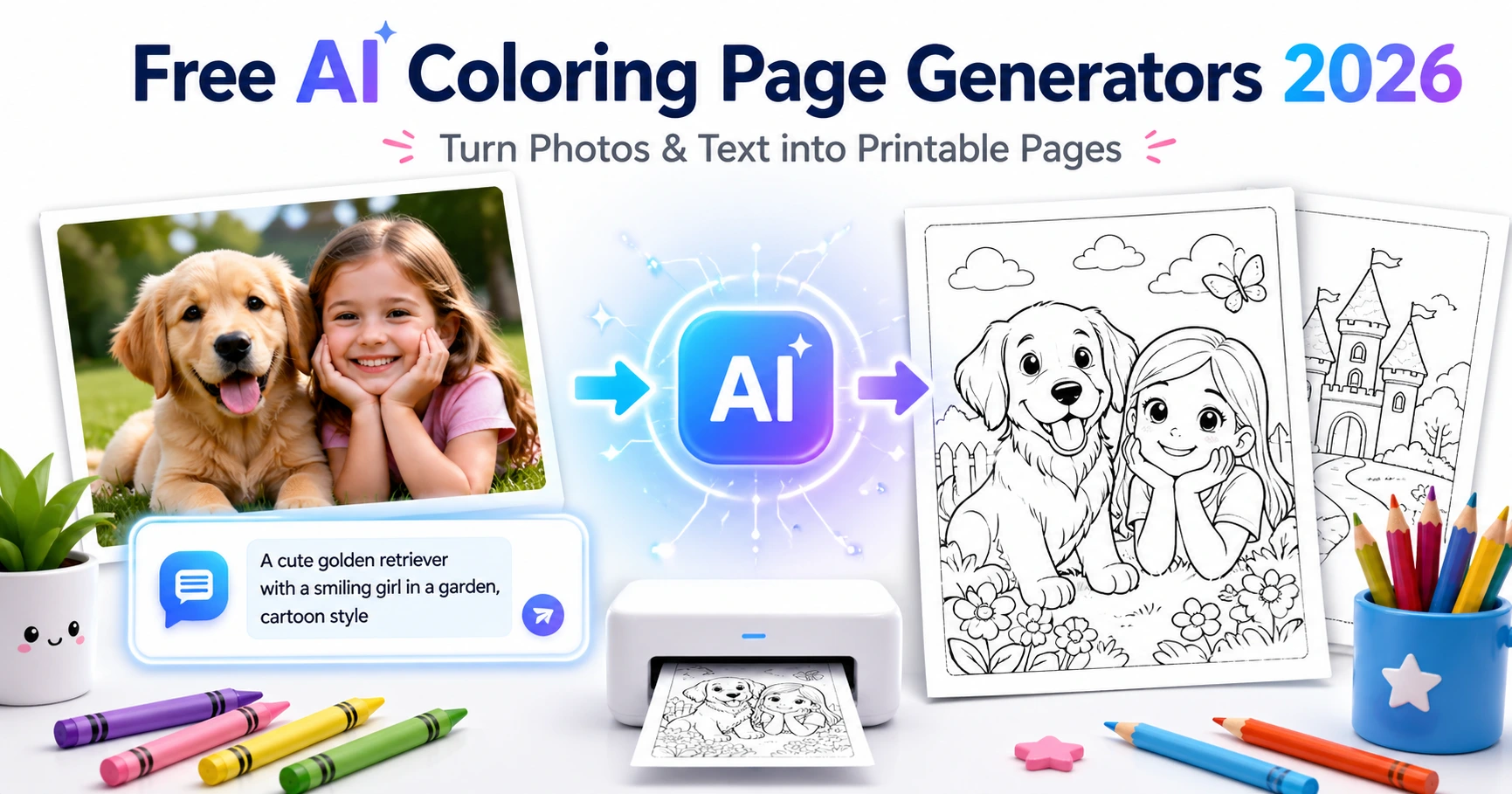
Looking for a free AI coloring page generator that can turn an idea or photo into a printable coloring page?
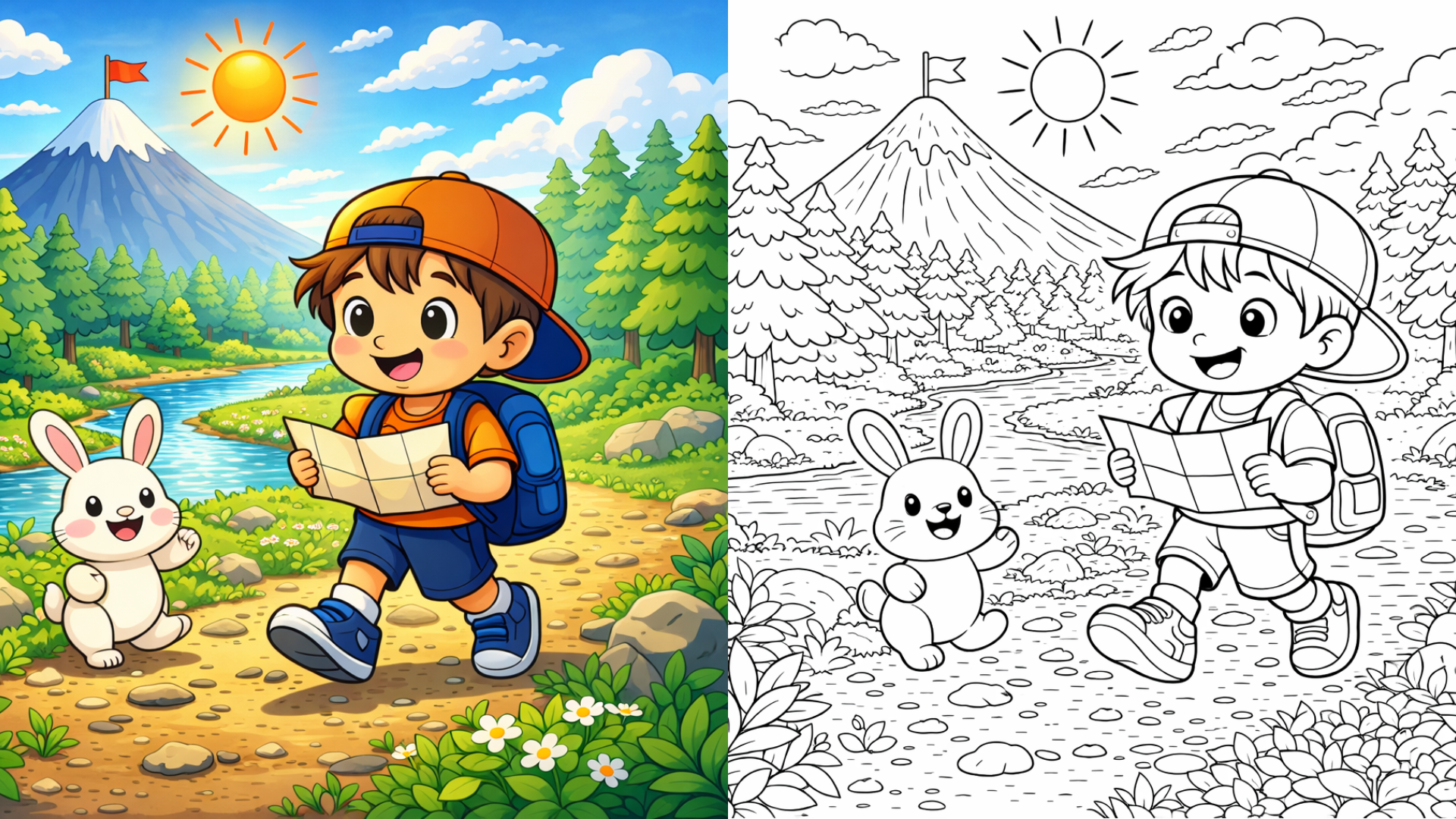
These tools help you create black-and-white line art from prompts, pictures, sketches, or simple themes. Some are better for teachers. Some are better for parents. Some work best for personal photos. Others give you more creative control.
We compared five free or free-to-try AI coloring page generators based on ease of use, prompt support, photo support, output quality, download options, and who each tool is best for.
Quick Comparison
| Tool | Best For (Main use) | Prompt to Page | Photo to Page | Download / Print | Free Access / Notes |
| iColoring AI | All‑in‑one AI coloring page generator: create, convert photos, and colorize in many styles (kawaii, chibi, cartoon, etc.) | Yes | Yes | Yes | Free with limited credits; login gives 15 credits/day, free‑to‑try feel, must upgrade for heavy use |
| ColorPrompt | Prompt‑based printable coloring pages (quick text → coloring sheets, themed & simple) | Yes | Yes | Yes | Free with login = 7 credits, then paid upgrade; style options are limited (lacks kawaii/chibi) |
| ColorBliss | Creative AI coloring pages & quick bulk generation (pages or books from prompts or photos) | Yes | Yes | Yes | Free with 12 credits on login; Default mode free but low quality, High Quality = 10 credits/image, bulk generation requires paid plan |
| Colorify AI | Style‑rich, flexible coloring‑page generation (many styles + multiple models) | Yes | Yes | Yes | Free with 5 credits/day on login, points expire at end of day; must upgrade for more images, higher‑quality models, advanced features |
| Freetoolyz | Completely free AI coloring‑page generation (text → page & photo → outline, no limits) | Yes | Yes | Yes | Fully free, no credits, no usage limits; supports many styles and strong models, output is sharp and coloring‑ready |
The 5 Free AI Coloring Page Generators
1. iColoring AI
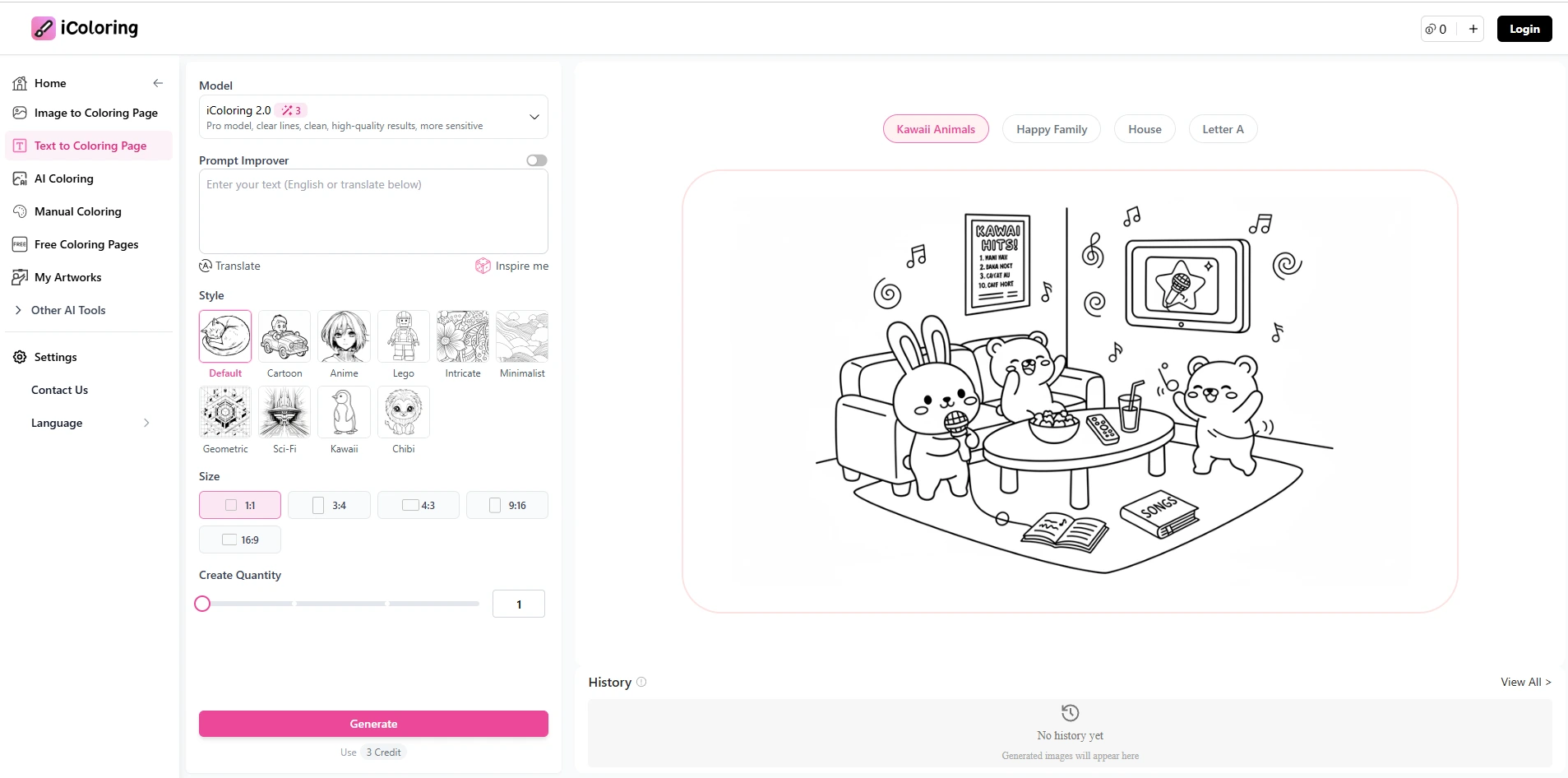
iColoring AI is a strong choice if you want one tool that can handle both text prompts and photos for coloring pages. It lets you turn ideas or images into printable coloring designs, with simple controls and a clean, easy‑to‑use interface. The tool is aimed at parents, teachers, and casual users who want a single place to create, edit, and download coloring pages.
This makes it a good fit for people who are not sure whether to start from a text idea or a photo, and who want a flexible but straightforward workflow.
What it does well
-
Turns text prompts into coloring pages (for example: “cute dinosaur,” “unicorn with rainbow,” “simple dog for kids”).
-
Converts images into coloring‑page‑style line art, keeping the main subject clear and easy to color.
-
Offers a manual coloring mode for adding color to your coloring pages.
-
Provides a built‑in library of coloring pages and motifs that you can reuse or remix, often with no watermark and ready to print.
-
Supports a wide range of popular styles, including kawaii, chibi, cartoon, and classic line‑art, so you can match your target audience from kids to adults.
iColoring AI’s workflow is especially helpful if you want to quickly generate multiple pages around a theme, then fine‑tune them without switching apps.
What to watch for
-
The tool is free to try, but not fully free. You get 15 credits when you log in, which lets you create a limited number of pages.
-
If you want to generate many images or books, you eventually have to buy a paid plan. The free tier feels more like a trial, which is understandable given the AI hosting and image‑processing costs.
-
The style and quality can still depend on how clear your prompt or source image is, so it helps to keep ideas short, concrete, and visual.
What users like
-
The interface is simple and easy to use, even for beginners.
-
Many users appreciate the “suggest prompt” feature, which helps you improve vague ideas into better, more specific prompts for better results.
-
The combination of prompt‑based generation, image conversion, manual editing, and a ready‑made library makes it feel like a full toolbox for coloring pages rather than a single‑feature app.
Best for
Use iColoring AI if you want an all‑in‑one coloring‑page generator that supports both text prompts and photos, offers many popular styles (kawaii, chibi, cartoon, etc.), and includes useful helpers like prompt suggestions and manual editing, while accepting that the full power is behind a paid plan, with only a small free‑to‑try credit window (15 credits on login).
2. ColorPrompt
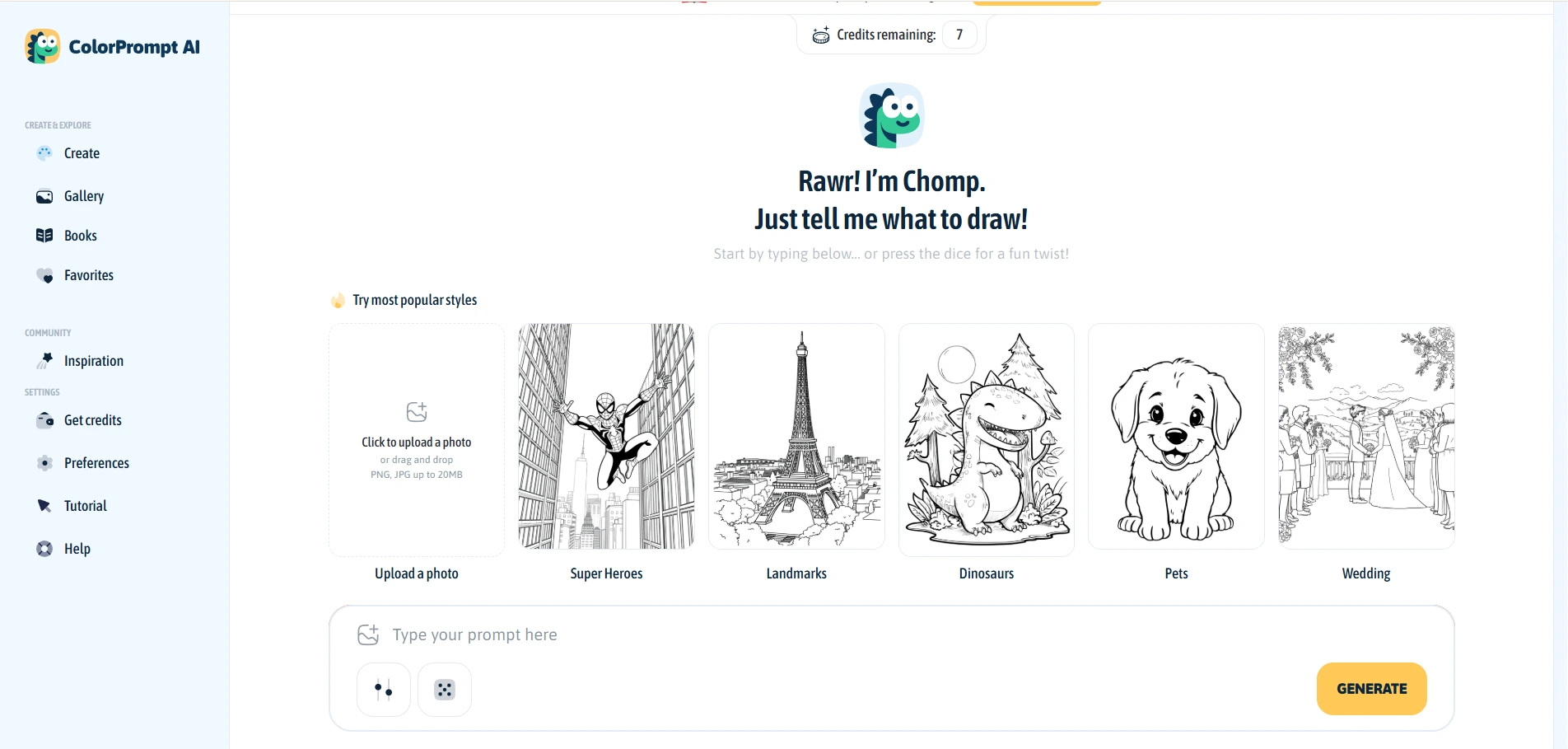
ColorPrompt is a simple tool if you want to turn text prompts into ready‑to‑print coloring pages. You type a short idea, such as “cute robot,” “ocean animals,” or “space adventure”, and the AI turns it into a clean line‑art coloring sheet. The output is meant to be printed directly, with clear outlines and simple shapes.This makes it a good fit for teachers preparing quick handouts, parents making themed pages for kids, or casual users who want a fast, no‑fuss design flow.
What it does well
- Turns text prompts into simple, printable coloring pages in seconds.
- Works well for concrete themes like animals, holidays, seasons, alphabets, and numbers.
- Produces clean line art that is easy for children to color.
- Lets you download pages in common formats for printing or simple sharing.
- Gives users 7 free credits when logging in, which can be enough for a few quick tests.
- ColorPrompt is easiest to use when your prompts are short, clear, and visual (e.g., objects, characters, or scenes), not long abstract descriptions.
What to watch for
- The tool lacks many popular styles such as kawaii or chibi, so you get a more generic, simple style.
- Its credit system can feel tight: generating one image in “Optimized” mode costs all 7 free credits, while “Fast” mode takes only 1 credit per image. There is also a “Premium” mode that requires a paid upgrade.
- The interface is clean and not overwhelming, but the options are limited if you want advanced controls over style or outline detail.
- If you want to keep experimenting beyond the free credits, you will need to upgrade to a paid plan.
What users like
- ColorPrompt includes a clear tutorial that helps beginners understand how to write good prompts and choose the right mode.
- It has a small community section where users can see and share images made by others, which can be inspiring for new ideas.
- The overall interface is simple and easy to navigate, even for people who are not familiar with AI tools.
Best for
Use ColorPrompt if you want a lean, prompt‑first tool that turns short ideas into printable coloring pages, you are okay with a generic style and limited style options like kawaii or chibi, and you accept a tight free‑credit model (7 credits on login, 1 image in Optimized = 7 credits) with a clear path to paid plans for heavier use.
3. ColorBliss
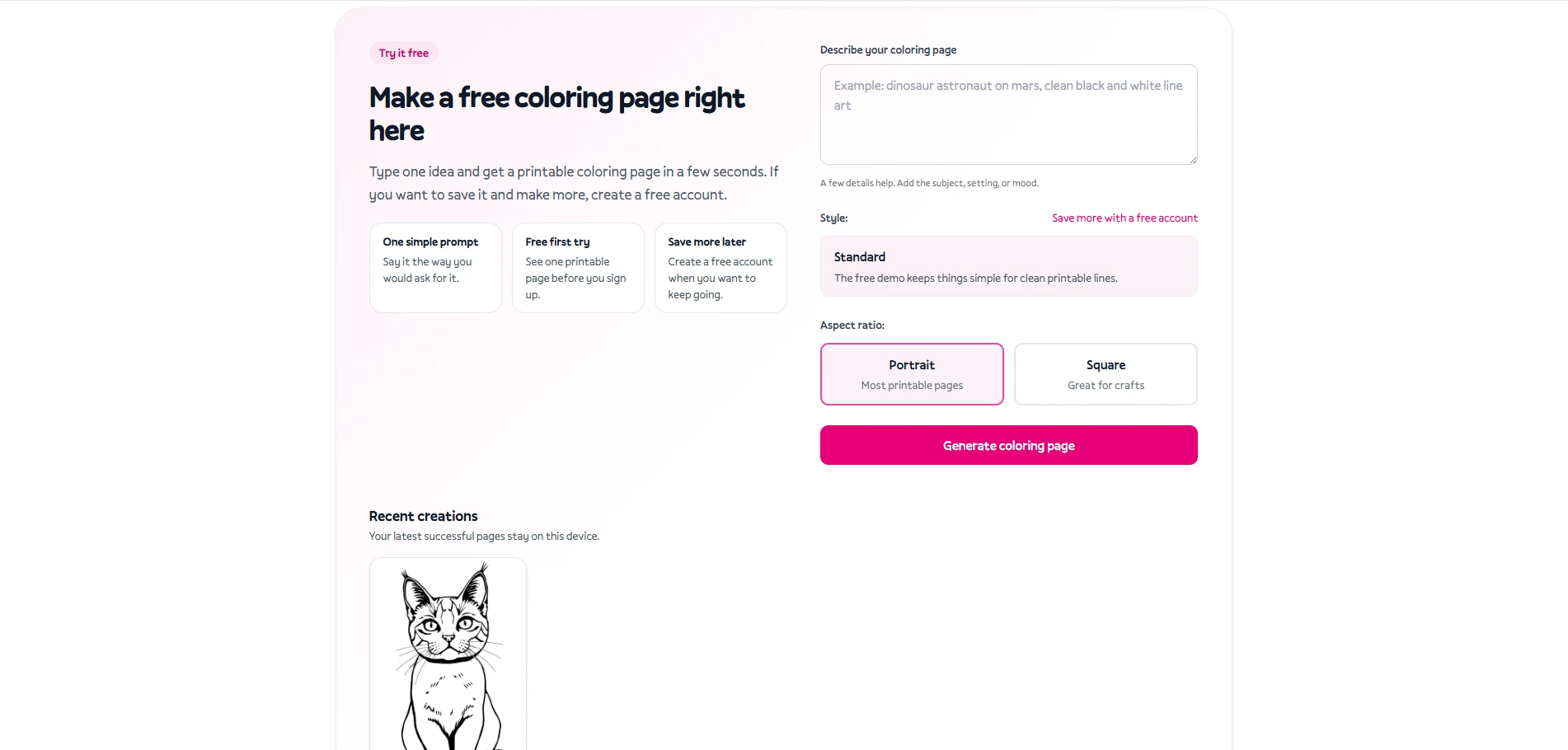
ColorBliss is a simple, web‑based tool if you want to create coloring pages quickly from text or images. You can turn prompts like “cute panda,” “space rocket,” or “fall leaves” into printable line‑art pages, or upload photos to convert them into coloring‑style drawings. The interface is clean and straightforward, aimed at parents, teachers, and casual users who want fast results without heavy setup.
This makes it a good fit for people who want to generate a bunch of pages around a theme and don’t mind a more basic style and limited credit system.
What it does well
-
Turns text prompts into coloring pages with a simple, clear line‑art style.
-
Supports image → coloring page, letting you upload photos and turn them into outline‑style drawings.
-
Offers bulk generation: you can paste up to 50 prompts at once or upload up to 50 photos in one go, which speeds up creating many pages for a theme.
-
Includes an auto‑improve prompt feature that helps you refine vague ideas into more specific prompts, often improving the clarity and composition of the output.
-
When you log in, you get 12 free credits, which you can use for higher‑quality generations.
ColorBliss works especially well for quick classroom handouts, themed activity packs, or personal projects where you need many pages in a short time.
What to watch for
-
The tool does not expose a visible style selector (no obvious kawaii, chibi, cartoon, etc. toggles), so the style is fixed and quite generic.
-
In Default mode, generation does not cost credits, but the images are less sharp and less detailed, which can be a drawback if you need crisp outlines.
-
In High Quality mode, each image costs 10 credits, so with 12 free credits you can realistically generate only about 1 high‑quality image, unless you earn more or upgrade.
-
The bulk generation feature (50 prompts or 50 photos at once) is only available after upgrading to a paid plan; there is no clear free‑tier plan that keeps this feature unlocked.
What users like
-
The prompt‑to‑page and image‑to‑page workflow is simple and intuitive.
-
The auto‑improve prompt helper is useful for beginners who struggle to describe what they want.
-
The bulk generation capability is a strong point if you want many pages from a list of ideas or a batch of photos, as long as you are willing to upgrade.
Best for
Use ColorBliss if you want a simple, fast coloring‑page generator that supports both text prompts and photos, values bulk generation for themes or classes, and accepts a generic style with no visible style options, a limited free credit system (12 credits on login), and the fact that more advanced features like High Quality and bulk exports require a paid upgrade.
4. Colorify AI
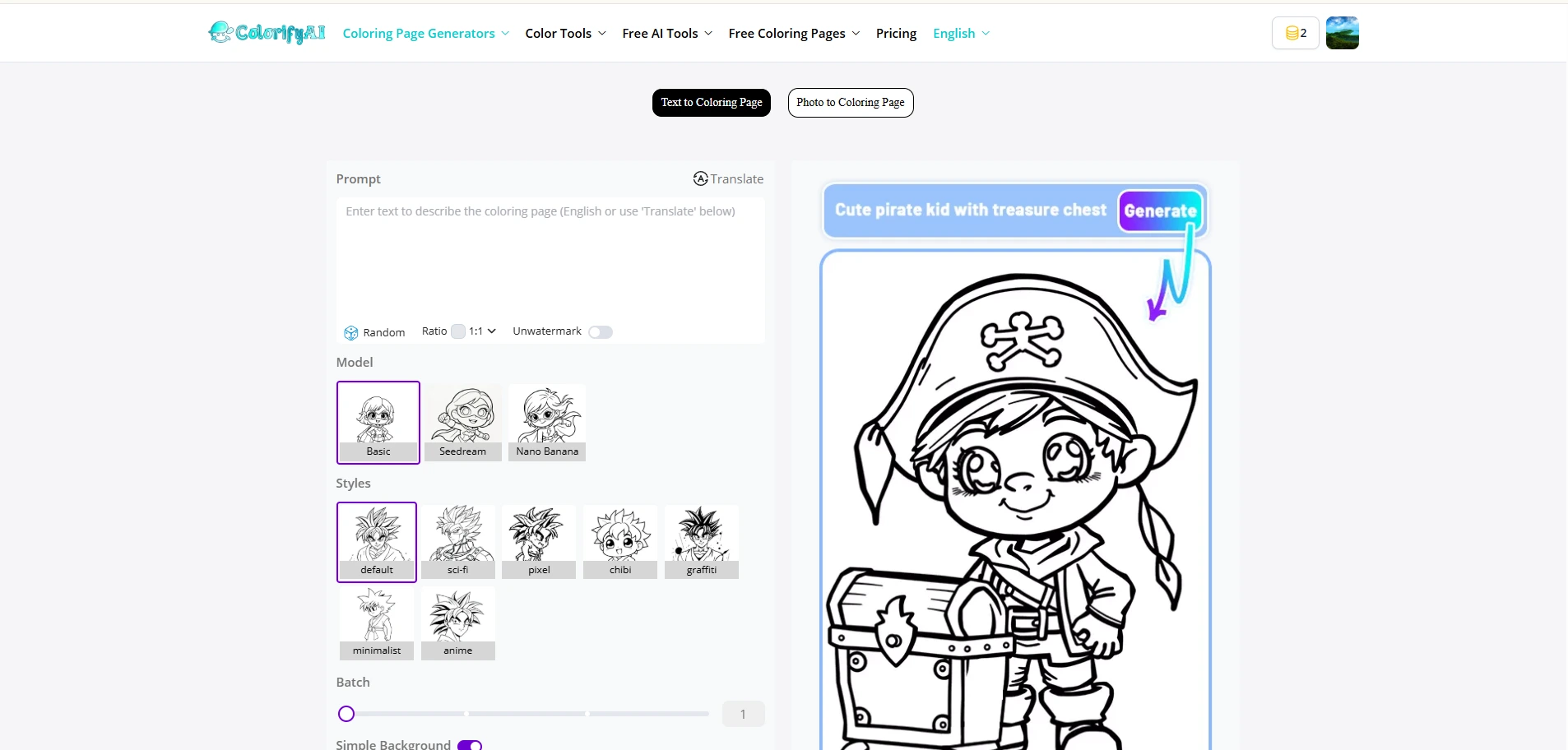
Colorify AI is a simple but capable tool if you want many style options in one place. You can turn text prompts or images into coloring pages, and choose from several models and styles at once. The interface is easy to use, so it fits parents, teachers, and casual users who want more variety than just a basic line‑art look.
This makes it a good fit for people who care about style diversity and want to experiment with different looks before printing.
What it does well
-
Turns text prompts into coloring pages (for example: “cute cat,” “underwater scene,” “space adventure”).
-
Converts images into coloring‑page‑style drawings, keeping the main subject clear.
-
Offers a wide range of popular styles, so you can pick looks that match your target audience (kids, adults, cute, realistic‑style outlines, etc.).
-
Lets you choose different models, giving you more control over how the AI interprets your prompt or image.
-
When you log in, you get 5 free credits per day, which can be enough for light experimentation.
Colorify AI is especially useful when you want to quickly compare different styles or models for the same idea before deciding which one to print.
What to watch for
-
The free package only lets you use the “Basic” model, which often produces results that are less detailed or less visually pleasing.
-
Each day’s points are valid only for today and expire at the end of the day, so you need to use them within 24 hours.
-
If you want to generate more images, use higher‑quality models, or unlock advanced features, you must upgrade to a paid plan.
-
The flexibility comes at the cost of a credit‑based system, so heavy users will run into limits quickly unless they pay.
What users like
-
The interface is simple and easy to navigate, even for beginners.
-
The variety of styles and models makes it fun to experiment and find the right look for your project.
-
The clear daily‑credit warning helps you plan how much you want to generate before the points expire.
Best for
Use Colorify AI if you want a flexible, style‑rich coloring‑page generator that supports both text and image input, offers multiple models and many popular styles, and accepts a limited free tier (5 credits per day, Basic model only) that clearly expires at the end of each day, with more advanced features and higher output volume behind paid plans.
5. Freetoolyz
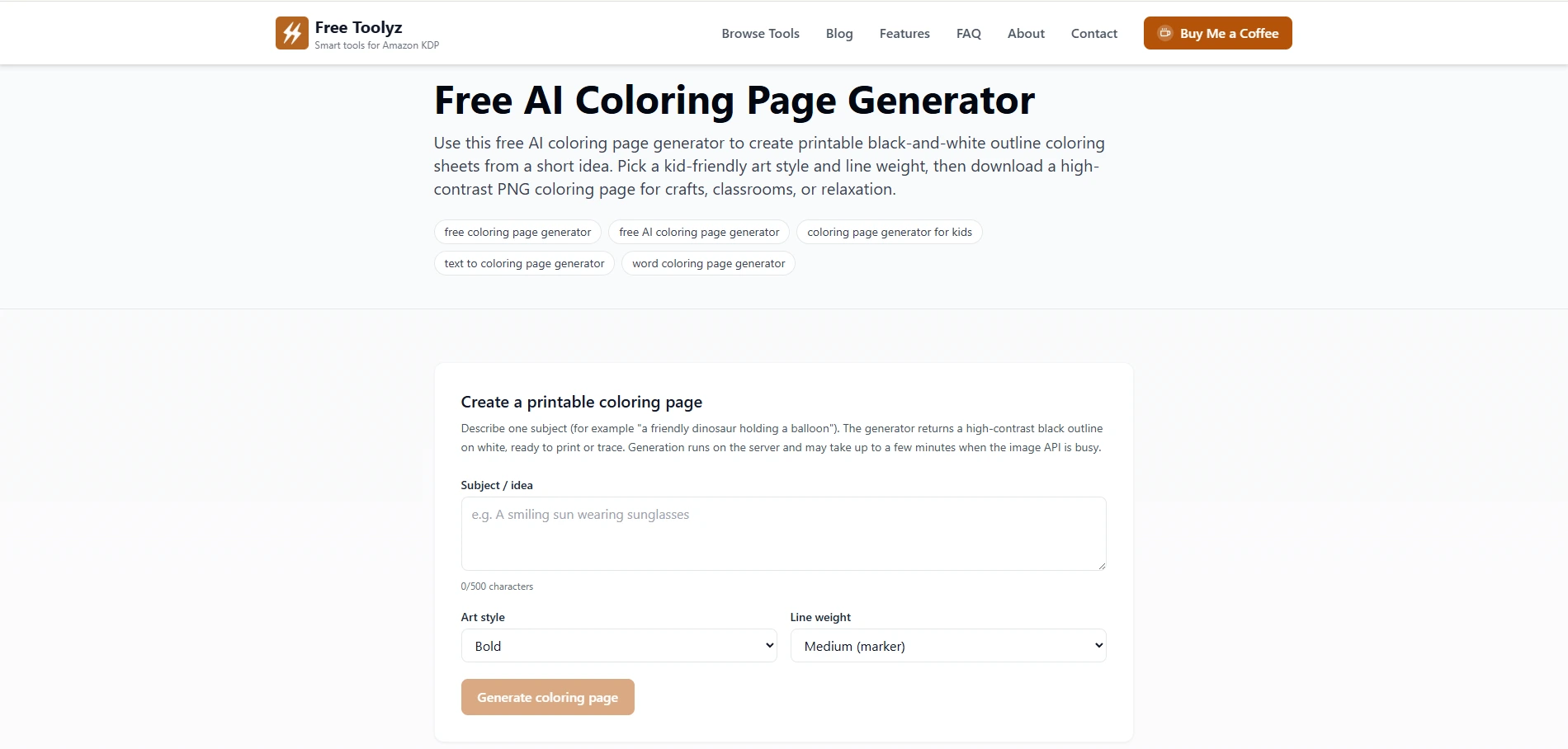
Freetoolyz offers a very simple way to create coloring pages from text or photos. It hosts two main tools: “Free AI Coloring Page Generator” (text → coloring) and “Free AI Photo to Coloring Page Generator” (photo → coloring). Both tools are designed to be straightforward and easy to use, even for beginners.
This makes Freetoolyz a strong fit for users who want a no‑restriction, completely free option for generating coloring pages, without worrying about credits, login, watermarks, or time limits.
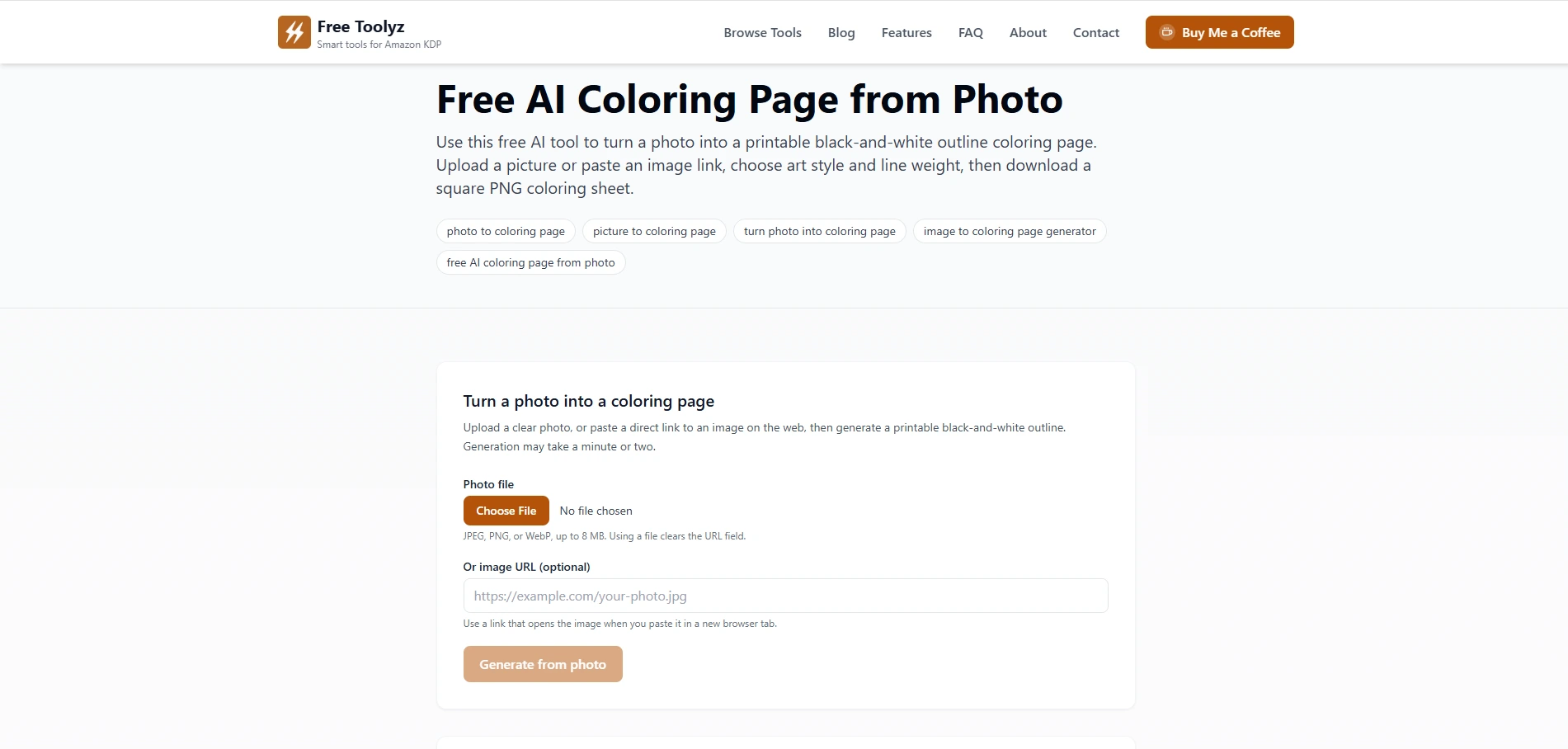
What it does well
-
Turns text prompts into coloring pages quickly, with clear outlines suitable for printing and coloring.
-
Converts photos into coloring‑page‑style line art (upload image or paste link), creating a printable black‑and‑white outline from your original photo.
-
Supports many popular styles, letting you choose the look of your page (e.g., more cartoon‑like, realistic, or sketchy).
-
Uses widely recognized AI models under the hood, giving you results that are generally accurate and well‑structured.
-
All tools are fully free: no login required, no visible usage limits, no “trial period”‑style restrictions, unlike many other platforms that only offer a free‑to‑try window.
-
Output is highly accurate, sharp, and clean, making it easy for children and adults to color without confusion.
Freetoolyz works especially well when you want to generate many pages across text‑based ideas and photo‑based moments, all under one simple, no‑cost service.
What to watch for
- The interface is simple and minimal, so if you are looking for heavy editing features, advanced style sliders, or a big built‑in image library, you may need to move to another tool.
-
Because it is completely free and unlimited, the focus is on core coloring‑page generation (text → page, photo → page) rather than extra features like manual drawing, bulk‑book export, or AI‑colorization.
What users like
-
The easy‑to‑use interface makes it comfortable for parents, teachers, and casual users who are not tech‑savvy.
-
The wide range of styles and powerful models lets you switch between looks without extra cost.
-
The fact that everything is truly free with no hidden limits stands out compared to other tools that start with “free” but quickly push you into credits or paid tiers.
Best for
Use Freetoolyz if you want a simple, completely free coloring‑page generator that supports both text‑to‑coloring and photo‑to‑coloring, gives crisp, high‑accuracy line art, offers many popular styles, runs on strong models, and asks nothing in return, no credits, no trial barriers.
About the author
Founder & Developer
.png)
Hello! I'm passionate about creating tools that make people's lives easier. Free Toolyz started as a personal project to build the utilities I wished existed, and it has grown into a suite of tools for authors and publishers.
Recent articles
-
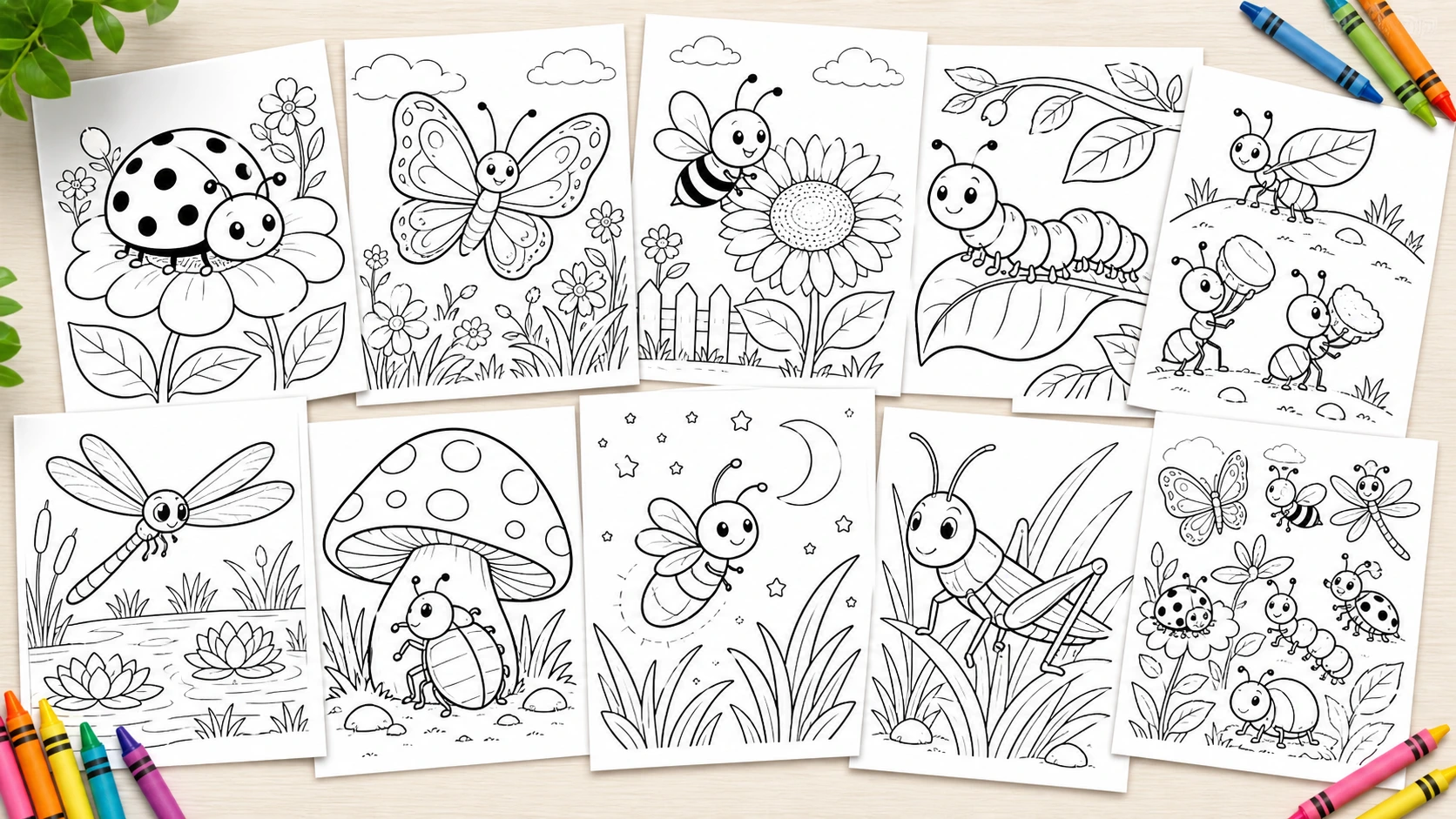
Top 100 Prompts for Bugs Coloring Pages
Discover 100 fun prompts to create bug-themed coloring pages using a free AI tool. Easily generate custom printable coloring sheets featuring friendly bugs like ladybugs, butterflies, bees, and more
/ 5 min read
-
How to Turn a Photo Into a Coloring Page
Turning a photo into a coloring page does not have to be slow or complicated. This guide shows a simple, fast, and free way to create a clean printable result with AI.
/ 8 min read